Send Google Forms responses to a Notion database
Add each new Google Forms response to a Notion database as a new item, with each answer in its own property. Import the Stepper template and map your fields.
Last checked
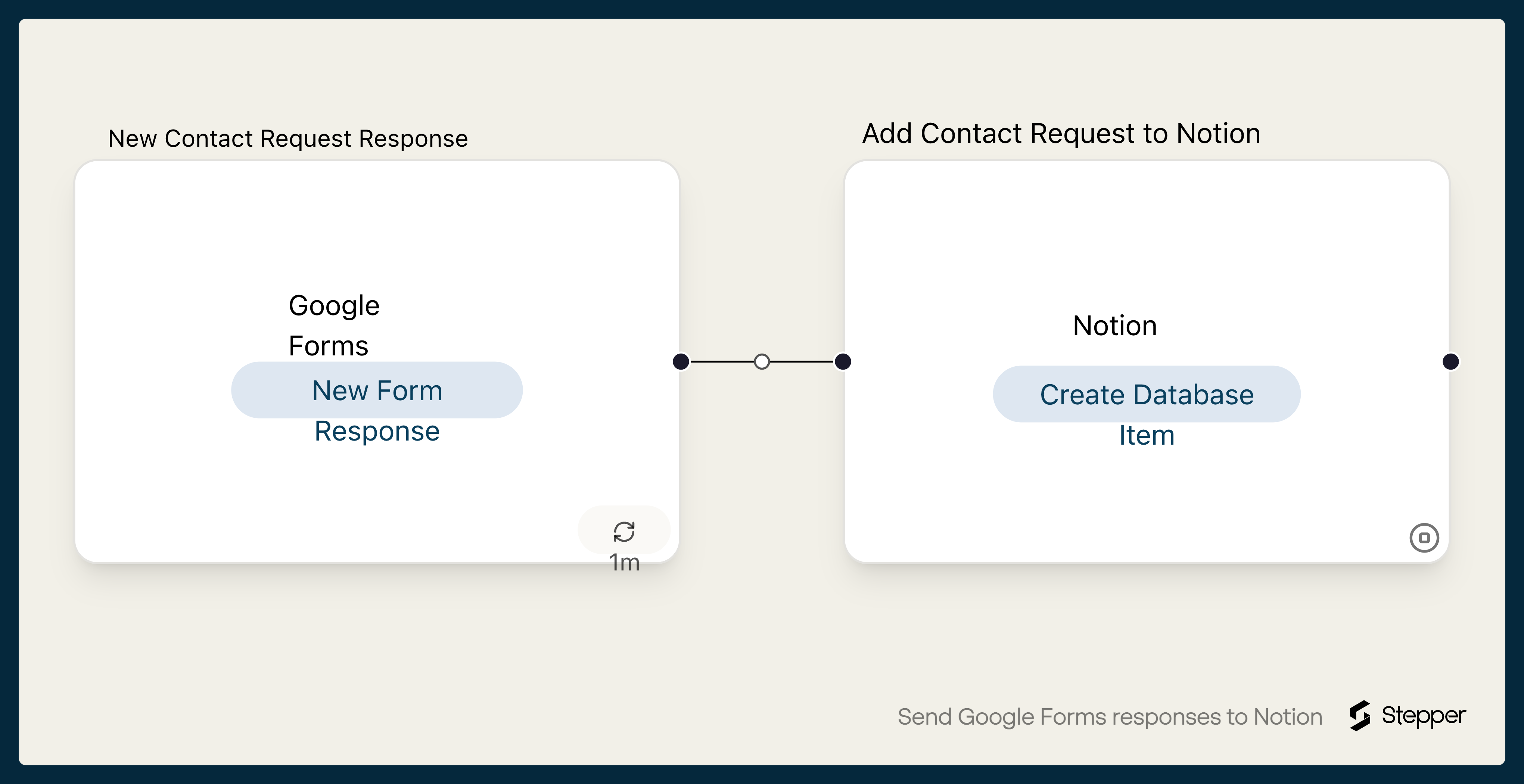
What it does
Notion is a good place to work through responses: give each one a status, an owner and a due date, then filter the view. Google Forms keeps responses in its Responses tab or a linked sheet, so getting them into Notion usually means copying them across.
This workflow adds each new response to a Notion database as a new item. It's set up for a contact request form: the person's name becomes the item's title, and their email, company, message and submitted time each fill their own property.
The steps
-
Google Forms: New Form Response
Starts the workflow when the form you choose gets a new response.
-
Notion: Create Database Item
Adds an item to your Notion database with Name, Email, Company, Message and Submitted filled in from the response.
What you need connected
You also need a Stepper account. Each app's page lists every trigger and action Stepper has for it.
How to set it up
- Sign in to Stepper, or create a free account.
- Set up a Notion database with these properties:
Name(the title),Email(email),Company(text),Message(text) andSubmitted(date). - Click Use this template in Stepper. Stepper copies the workflow into your account and asks you to connect Google Forms and Notion if you haven’t already. When Notion asks which pages Stepper can access, include the page that holds your database, or it won’t appear in the list.
- In the Google Forms trigger, choose your form.
- In the Notion step, choose your database and check each property has the right answer. If your form’s questions have different names, pick your own answers with the data picker.
- Submit a test response and run a test. Stepper checks Google Forms for new responses on a schedule, so the item may take a few minutes to appear.
- When the item looks right, click Publish.
What you can change
- Status on arrival. Add a Status property and set it to a fixed value such as “New”, so fresh responses show up in a filtered view.
- Answer clean-up. Add an AI step before Notion to summarize a long message or sort the request into a category.
- A heads-up. Add a Slack step after Notion with a link to the new item.